
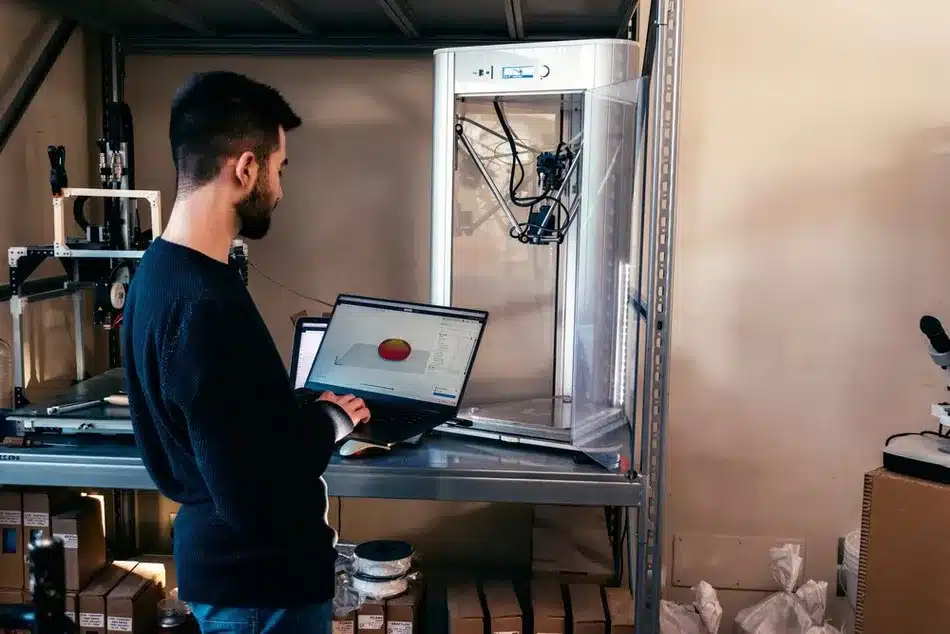
Introdução
Tem um modelo 3D no formato STL, mas precisa dele em OBJ para obter melhores texturas? Converter STL para OBJ resolve muitos problemas no trabalho de design.
Este guia explica-lhe tudo sobre ficheiros STL e OBJ. Irá aprender quais são as diferenças, como converter, quais as ferramentas disponíveis e receberá algumas dicas. Centramo-nos em STL para OBJ também opções de serviços de conversão.
Porquê dar importância a isto? O formato STL é comum para impressões simples, mas o OBJ permite adicionar cores e detalhes. Em 2026, muitos profissionais utilizam o OBJ para trabalhos complexos. O mercado da impressão 3D cresce rapidamente, atingindo mais de $20 mil milhões em 2024. Conhecer os formatos de ficheiro ajuda a garantir o sucesso dos seus projetos. A nossa equipa de serviços CNC depara-se frequentemente com esta situação em protótipos.
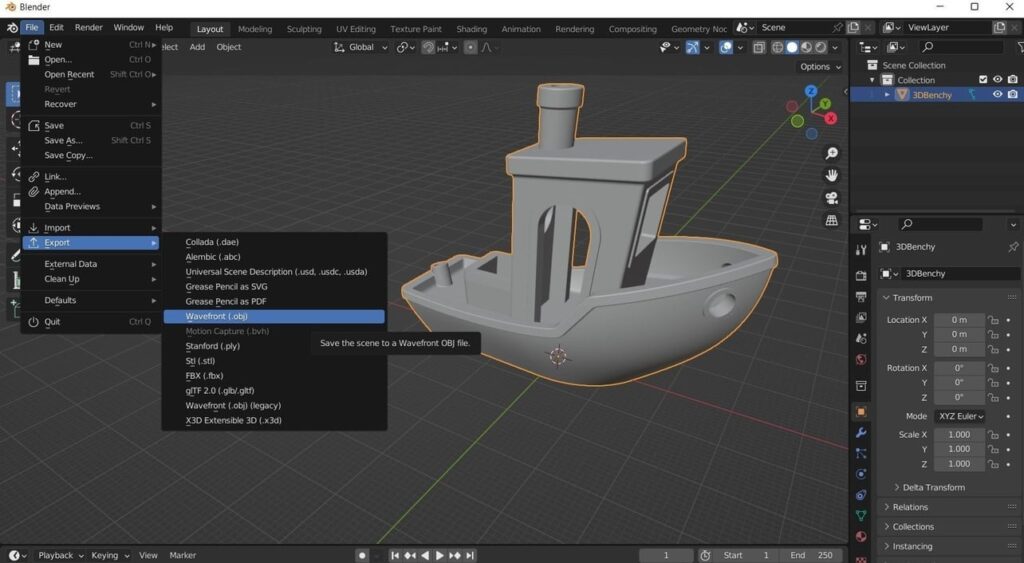
STL para OBJ: Como converter ficheiros STL para OBJ | All3DP
Formato de ficheiro OBJ – Exemplos e utilizações | 3D Cloud
O que é um ficheiro STL?
STL significa estereolitografia. Descreve a superfície de um objeto 3D através de triângulos.
Como funciona o STL
Cada triângulo tem três vértices e um marcador de direção. Isto cria uma malha. Sem cores nem texturas – apenas a forma.
História da STL
Criado em 1987 pela 3D Systems para as primeiras impressoras. Continua a ser a melhor opção em 2026 para trabalhos básicos.
O que é um ficheiro OBJ?
O OBJ é um formato flexível da Wavefront Technologies. Contém geometria, texturas e cores.
Como funciona o OBJ
Utiliza pontos, linhas e faces. Suporta polígonos para além dos triângulos. É frequentemente utilizado em conjunto com ficheiros MTL para materiais.
Por que é que o OBJ é popular?
Ótimo para jogos, animação e impressões detalhadas. Empresas como a Autodesk utilizam-no amplamente.
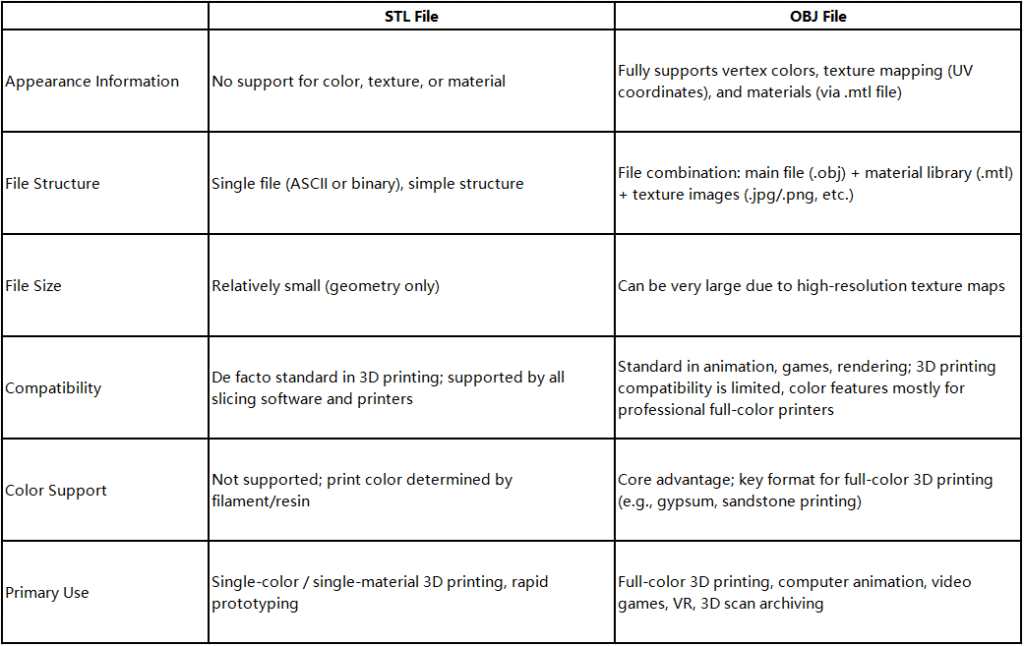
Formatos de ficheiros para impressão 3D: STL vs OBJ – Diferenças, vantagens e desvantagens – Impressão 3D – PCBway
Principais diferenças entre STL e OBJ
Eis uma comparação clara.
| Caraterística | STL | OBJ |
| Geometria | Apenas triângulos | Polígonos, curvas, NURBS |
| Cor/Textura | Não | Sim |
| Tamanho do ficheiro | Mais pequeno | Ampliar com detalhes |
| Compatibilidade | Todas as impressoras 3D | A maioria dos programas, algumas impressoras |
| Facilidade de edição | Difícil | Mais fácil |
| Melhor para | Impressão simples | Modelos texturizados |
O STL destaca-se pela velocidade. O OBJ brilha no que diz respeito aos efeitos visuais.
Quando converter STL para OBJ
Converte quando precisares de texturas ou de fazer edições.
Motivos comuns
- Adicione cores para impressão a cores.
- Editar no Blender ou no Maya.
- Utilização em jogos ou em RA.
- Prepare-se para o nível avançado Serviços de maquinagem CNC.
No setor automóvel, adaptar para protótipos com detalhes.
Passo a passo: Como converter STL para OBJ
Utiliza ferramentas gratuitas. Aqui está o Blender – muito popular em 2026
- Descarregue o Blender (grátis).
- Abra o Blender.
- Eliminar o cubo predefinido.
- Selecione Ficheiro > Importar > STL.
- Selecione o seu ficheiro.
- Aparece a modelo.
- Selecione Ficheiro > Exportar > Wavefront OBJ.
- Selecione as definições.
- Exportar.
STL para OBJ: Como converter ficheiros STL para OBJ | All3DP
Dica profissional: Verifique a escala após a importação.
As melhores ferramentas gratuitas para a conversão de STL para OBJ
Existem muitas opções.
- Liquidificador: Total liberdade de edição.
- MeshLab: Rápido para malhas.
- FreeCAD: Ideal para engenharia.
- Ferramentas online: AnyConv, Aspose (sem instalação).
- Spin 3D: Aplicação simples para computador.
O Blender lidera as listas em 2026.
Erros comuns a evitar na conversão
Vê isto.
- Esquecer-se de remendar a rede – provoca buracos.
- Escala errada – modelo demasiado grande/pequeno.
- Perda de normais – faces invertidas.
- Sem cópia de segurança – guarde o ficheiro STL original.
- Ferramentas online de má qualidade.
Corrija com ferramentas como o Microsoft 3D Builder.
Ficheiro STL: os erros mais comuns – Prototal | Prosilas
Aplicações em diversos setores
Os ficheiros são importantes no trabalho real.
Impressão 3D
STL para o modelo básico. OBJ para as cores.
Passos gerais para qualquer tecnologia de impressão 3D, começando com um ficheiro digital… | Descarregar diagrama científico
Maquinação CNC
Ambas funcionam. Converta para obter percursos de ferramenta melhores no serviço de CNC.
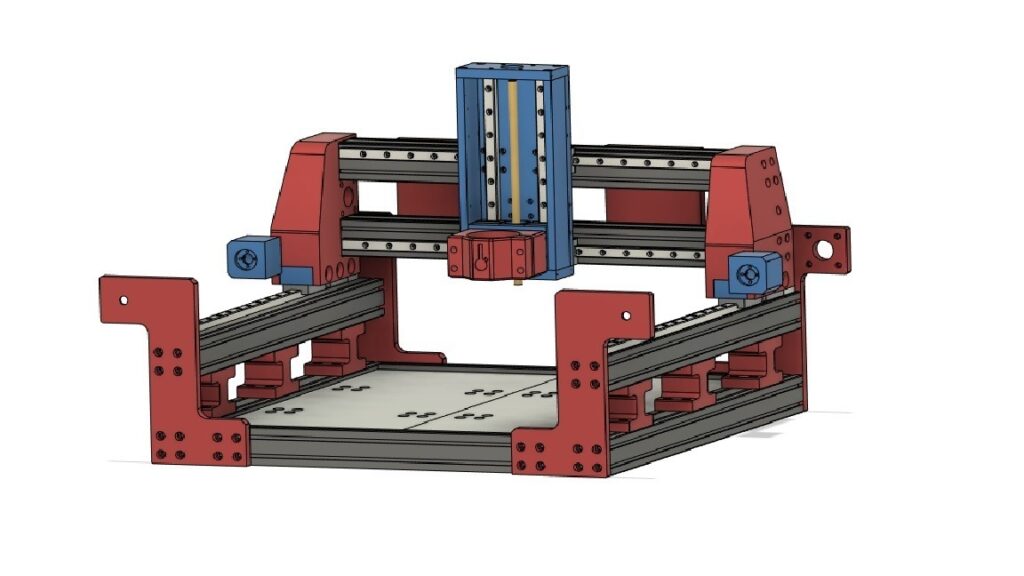
Máquina de fresagem CNC・Ficheiro STL gratuito para usinagem CNC – Corte a laser ・Cults
Automóvel e Aeroespacial
Os protótipos precisam de detalhes. Link para a página da indústria automóvel.
Vantagens e desvantagens de cada formato
Vantagens do STL:
- Suporte universal.
- Ficheiros pequenos.
- Processamento rápido.
Contras do STL:
- Sem texturas.
- É difícil de editar.
- Possíveis erros.
Vantagens do OBJ:
- Texturas e cores.
- Geometria flexível.
- Partilha fácil.
Contras do OBJ:
- Ficheiros maiores.
- Carregamento mais lento.
- Às vezes, é necessário recorrer à tradução automática.
Como escolher entre STL e OBJ
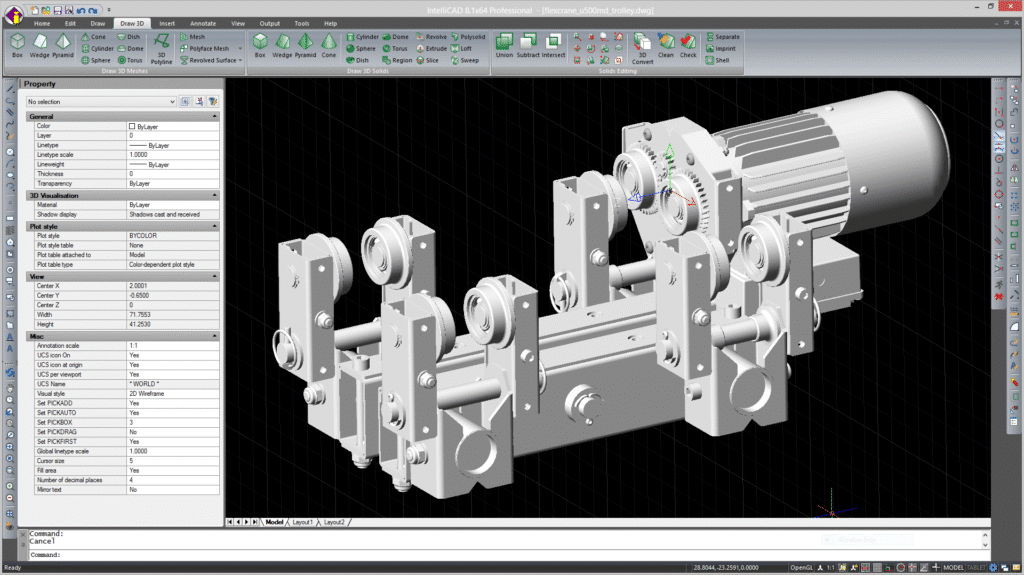
Pergunte:
- Precisas de cores? Escolhe o OBJ.
- Impressão simples? Opta pelo formato STL.
- Vais editar mais tarde? OBJ.
- Serviço de CNC? Verifique o prestador do serviço.
Conselho de especialista: Comece com o formato STL e converta, se necessário.
Principais conclusões
- O STL apresenta uma geometria simples; o OBJ acrescenta detalhes.
- Converter STL para OBJ para texturas ou edição.
- Utilize o Blender para obter os melhores resultados.
- Evite erros de malha durante a conversão.
- O formato STL domina a impressão; o OBJ cresce em 2026.
- Arquivos perfeitos facilitam os projetos de serviços de CNC.
- Verifique as necessidades de setores como o aeroespacial.
Conclusão
Conversão STL para OBJ abre novas possibilidades para os teus modelos. Aprendeste as diferenças, os passos, as ferramentas e as dicas.
Escolha o formato adequado ao seu objetivo. Em áreas em expansão, como a impressão 3D e o CNC, este conhecimento poupa tempo. Comece a converter hoje mesmo para obter melhores resultados.
FAQS
Por que converter STL para OBJ?
O formato OBJ suporta cores e texturas que o STL não suporta. É ideal para modelos detalhados ou para software como o Blender.
A conversão de STL para OBJ é gratuita?
Sim. Ferramentas como o Blender e os conversores online não custam nada.
A conversão faz com que se perca qualidade?
Normalmente, não. Mas, para obter os melhores resultados, resolva primeiro os problemas relacionados com a malha.
Posso converter de volta de OBJ para STL?
Sim. As mesmas ferramentas funcionam também no sentido inverso.
De que forma é que isto ajuda nos projetos de CNC?
Ficheiros bem organizados significam uma melhor usinagem. O nosso serviço de CNC trata de ambos.

 English
  简体中文
简体中文  Español
  Deutsch (Sie)
  日本語
日本語  Português